轻松玩转书生·浦语大模型趣味 Demo
1 大模型及 InternLM 模型简介
1.1 什么是大模型?
大模型通常指的是机器学习或人工智能领域中参数数量巨大、拥有庞大计算能力和参数规模的模型。这些模型利用大量数据进行训练,并且拥有数十亿甚至数千亿个参数。大模型的出现和发展得益于增长的数据量、计算能力的提升以及算法优化等因素。这些模型在各种任务中展现出惊人的性能,比如自然语言处理、计算机视觉、语音识别等。
特点:
利用大量数据进行训练
拥有数十亿甚至数干亿个参数
模型在各种任务中展现出惊人的性能
1.2 InternLM 模型全链条开源
InternLM 是一个开源的轻量级训练框架,旨在支持大模型训练而无需大量的依赖。通过单一的代码库,它支持在拥有数千个 GPU 的大型集群上进行预训练,并在单个 GPU 上进行微调,同时实现了卓越的性能优化。在 1024 个 GPU 上训练时,InternLM 可以实现近 90%的加速效率。
基于 InternLM 训练框架,上海人工智能实验室已经发布了两个开源的预训练模型:InternLM-7B 和 InternLM-20B。
Lagent 是一个轻量级、开源的基于大语言模型的智能体(agent)框架,支持用户快速地将一个大语言模型转变为多种类型的智能体,并提供了一些典型工具为大语言模型赋能。通过 Lagent 框架可以更好的发挥 InternLM 的全部性能。
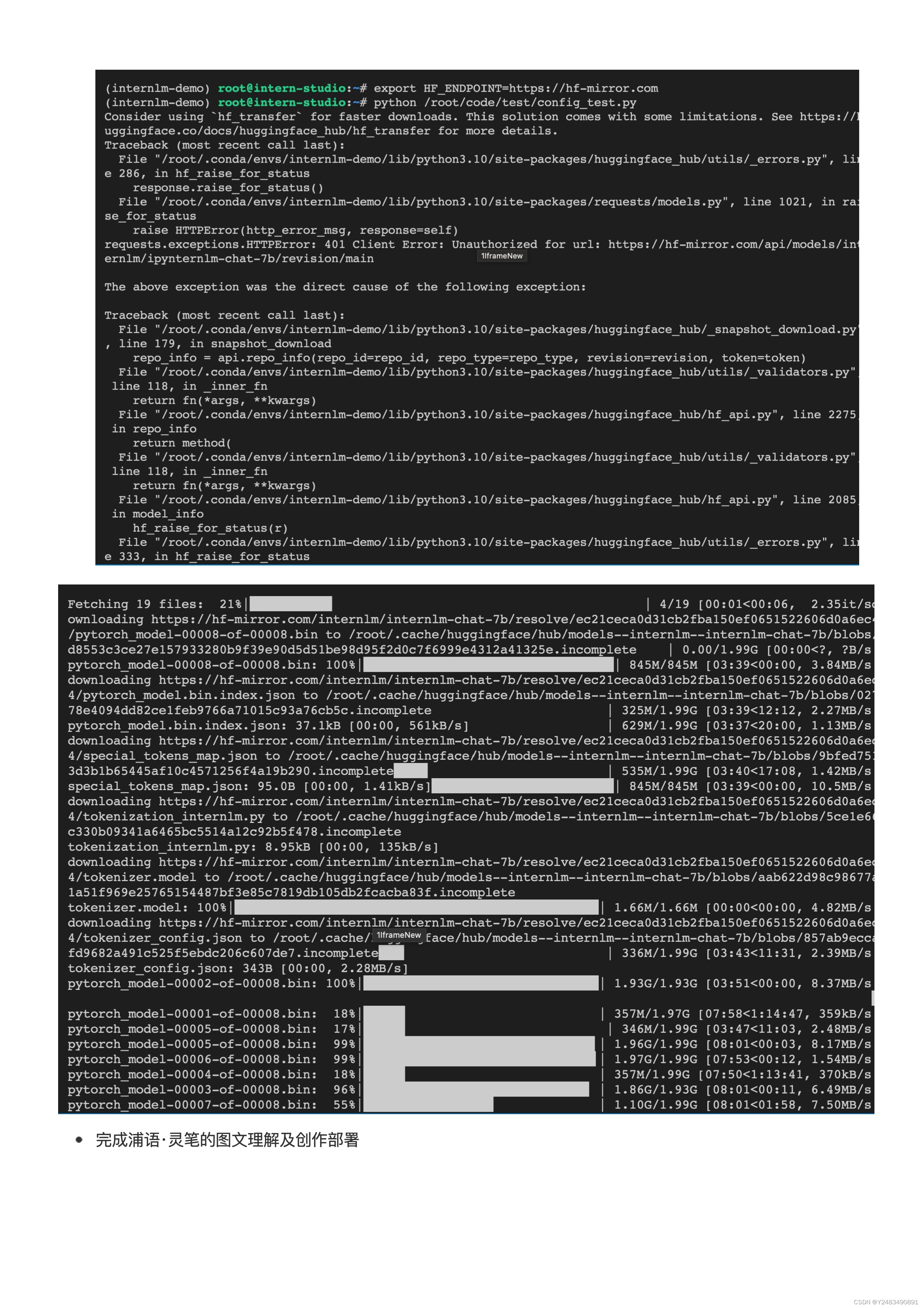
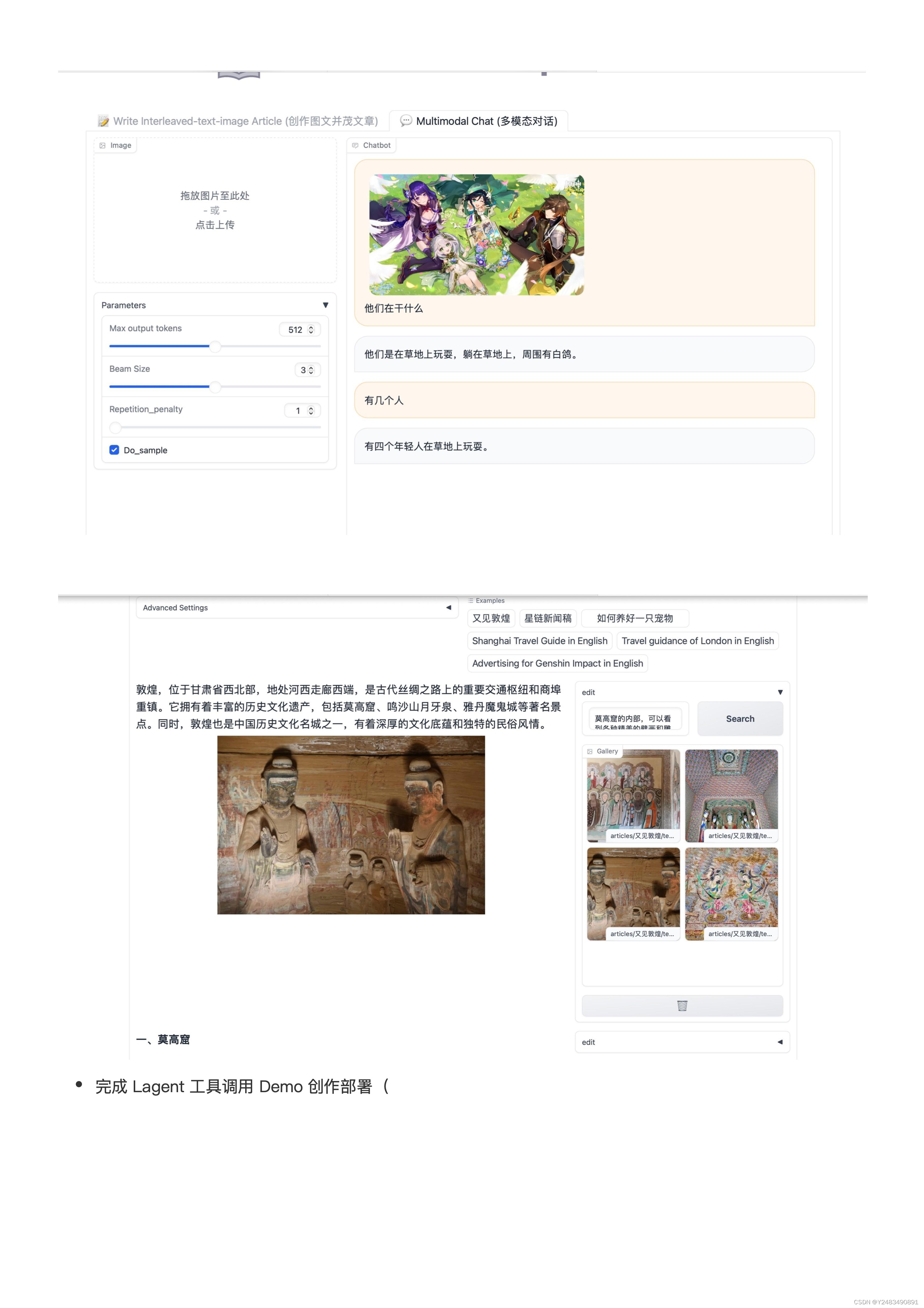
浦语·灵笔是基于书生·浦语大语言模型研发的视觉-语言大模型,提供出色的图文理解和创作能力,结合了视觉和语言的先进技术,能够实现图像到文本、文本到图像的双向转换。使用浦语·灵笔大模型可以轻松的创作一篇图文推文,也能够轻松识别一张图片中的物体,并生成对应的文本描述。
2 InternLM-Chat-7B 智能对话 Demo
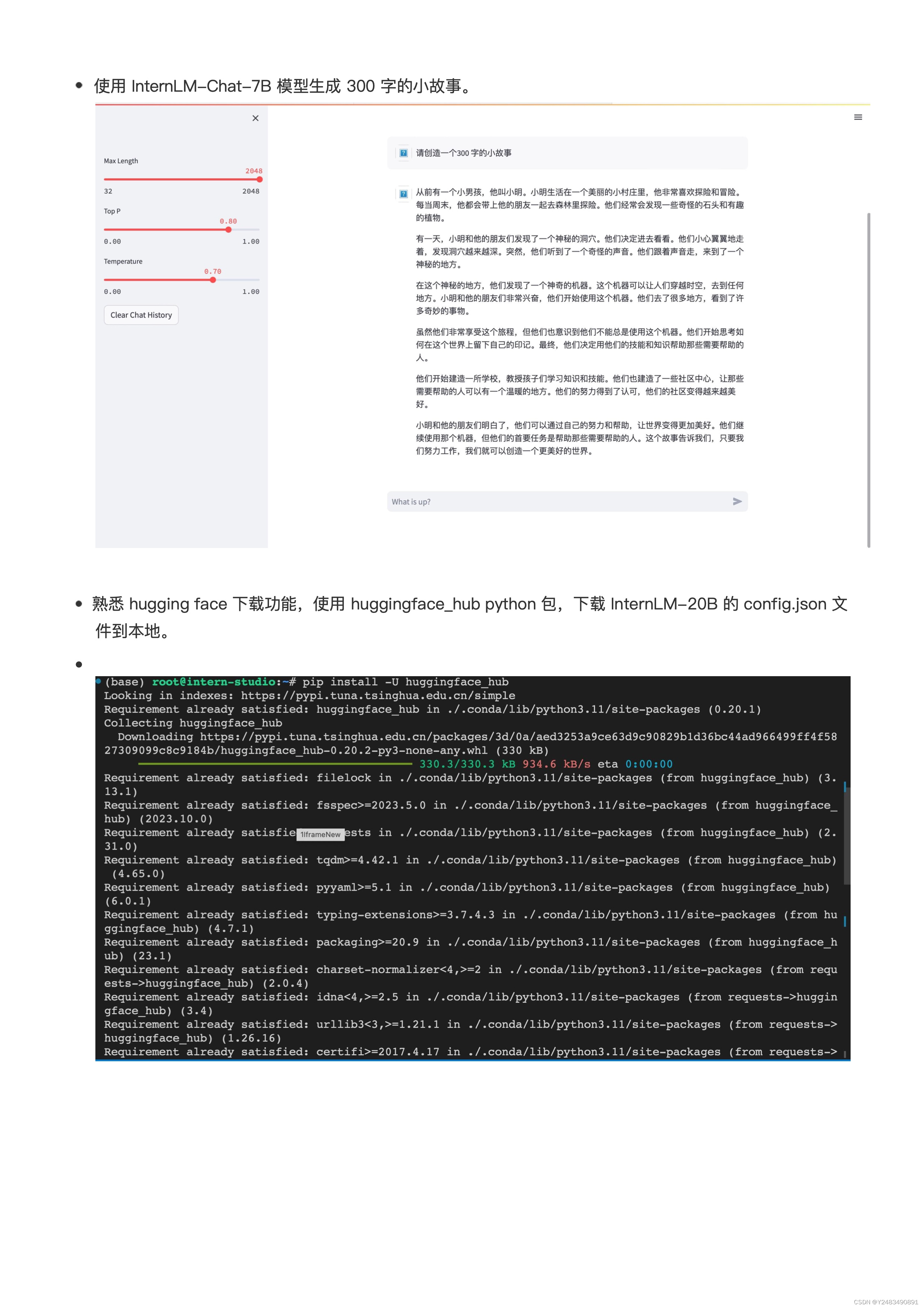
使用InternStudio中的 A100(1/4) 机器和InternLM-Chat-7B模型部署一个智能对话 Demo。
2.1 准备工作
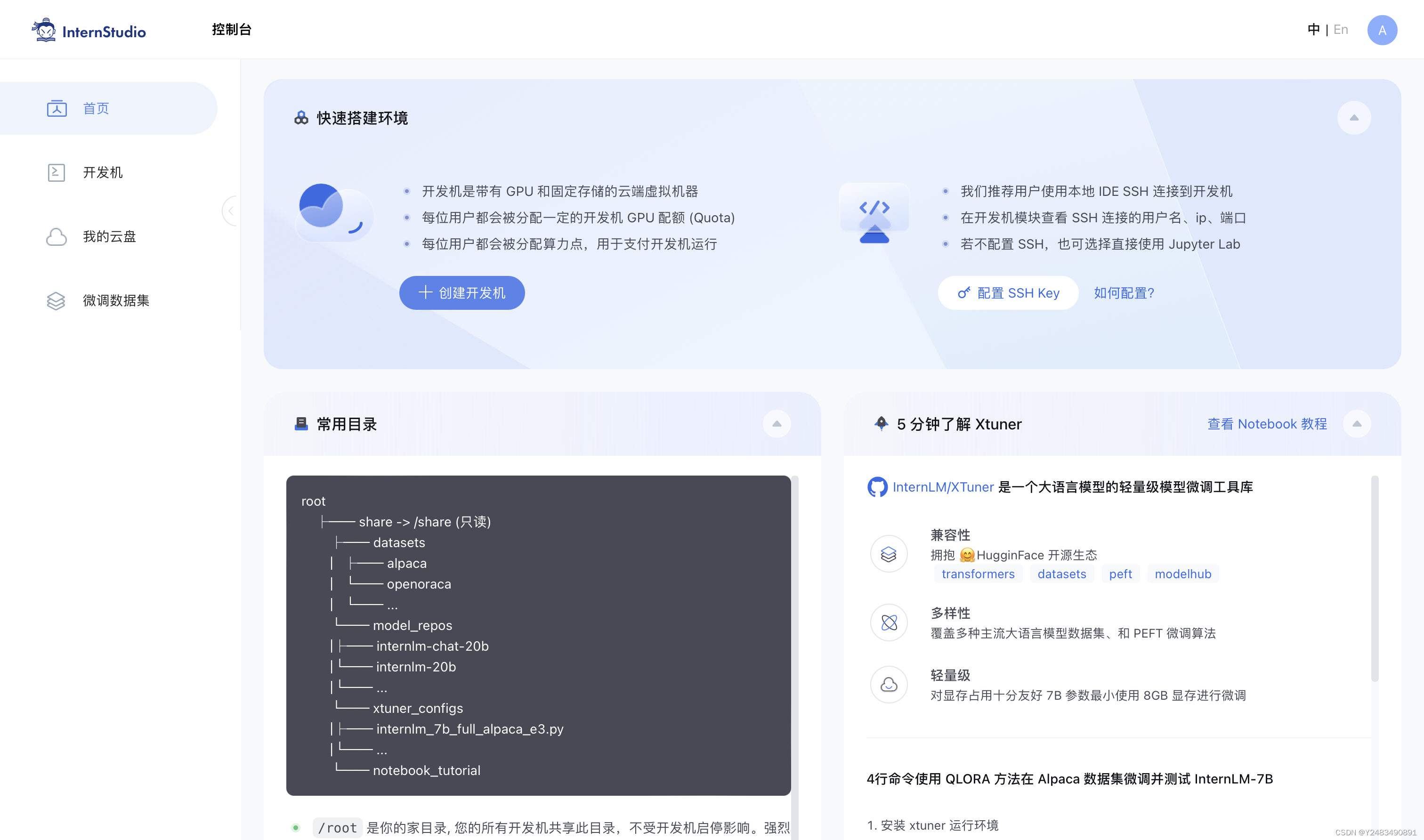
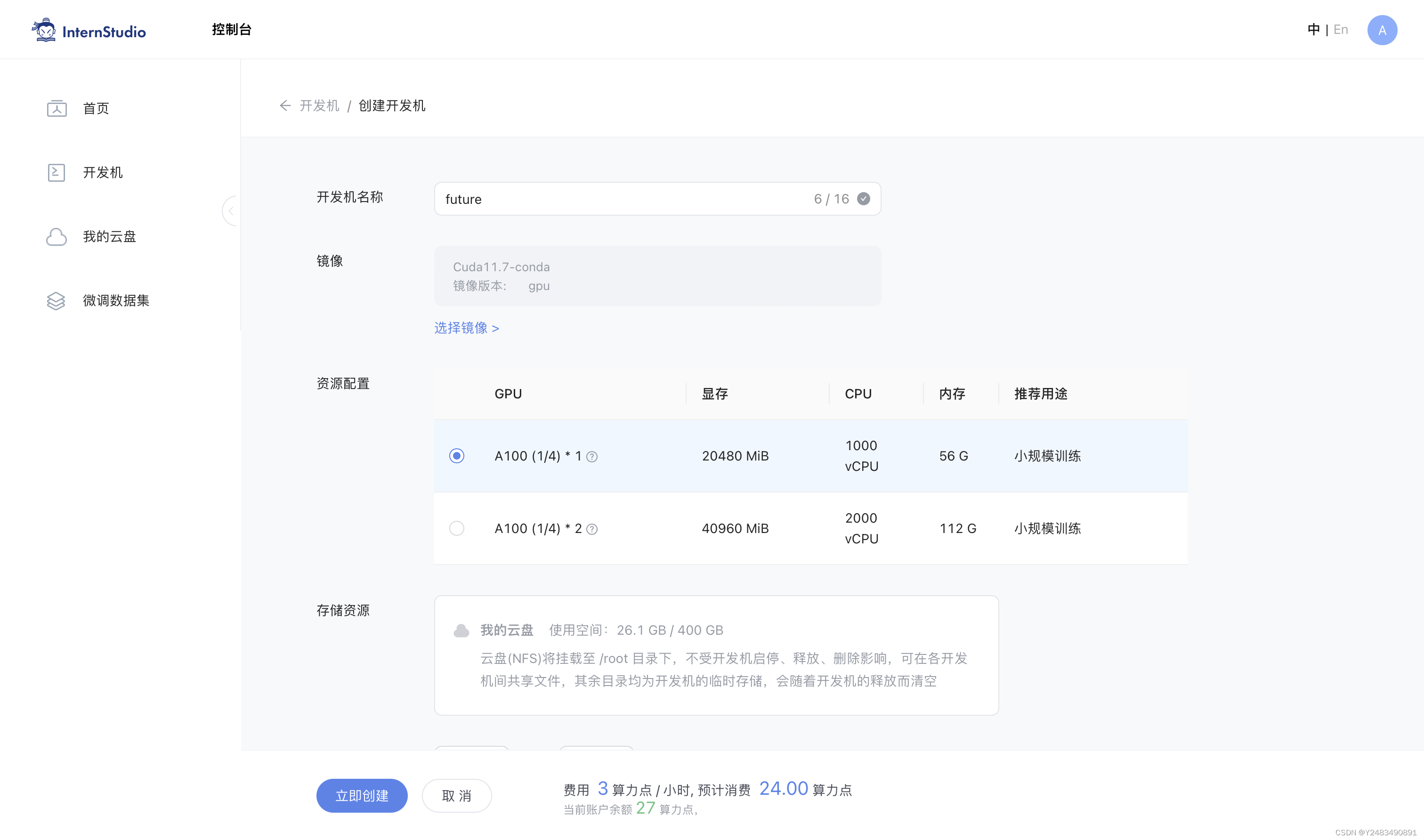
创建开发机
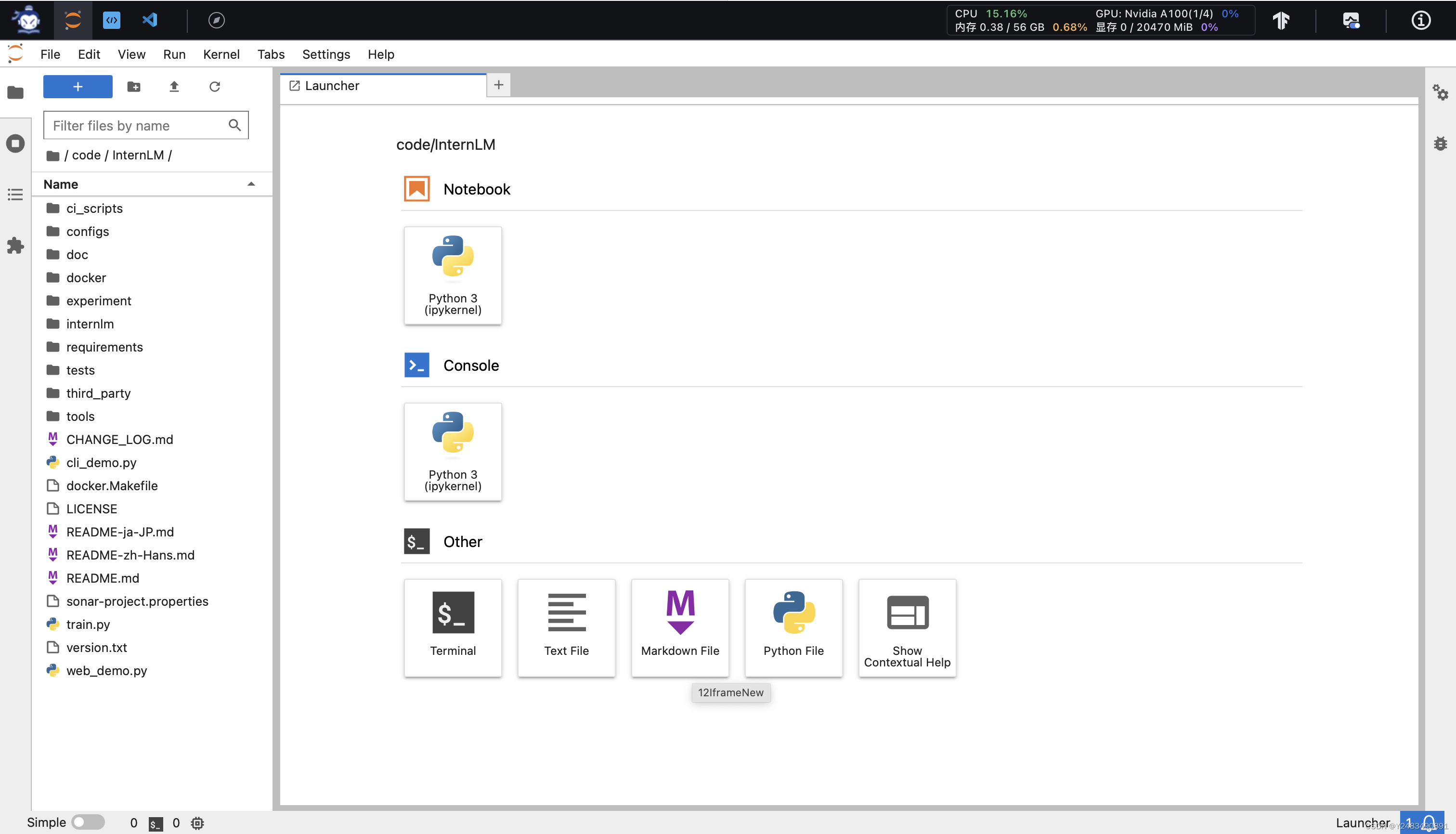
进去开发机(左上角可以切换 JupyterLab、终端和 VScode)
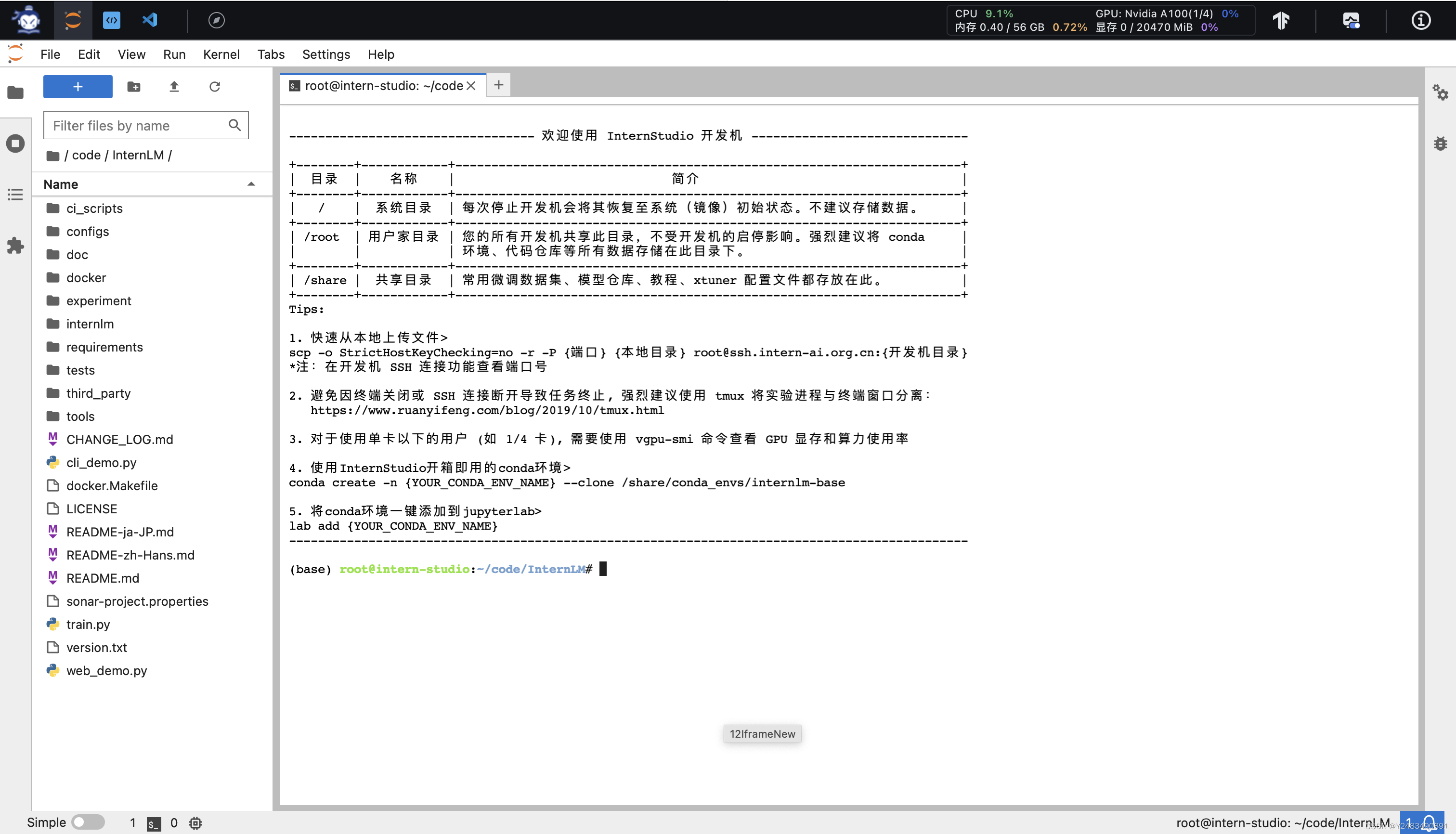
进入终端,在终端输入
bash 命令,进入 conda` 环境
进入 conda 环境之后,使用以下命令从本地克隆一个已有的 pytorch 2.0.1 的环境
conda create --name internlm-demo --clone=/root/share/conda_envs/internlm-base可以通过
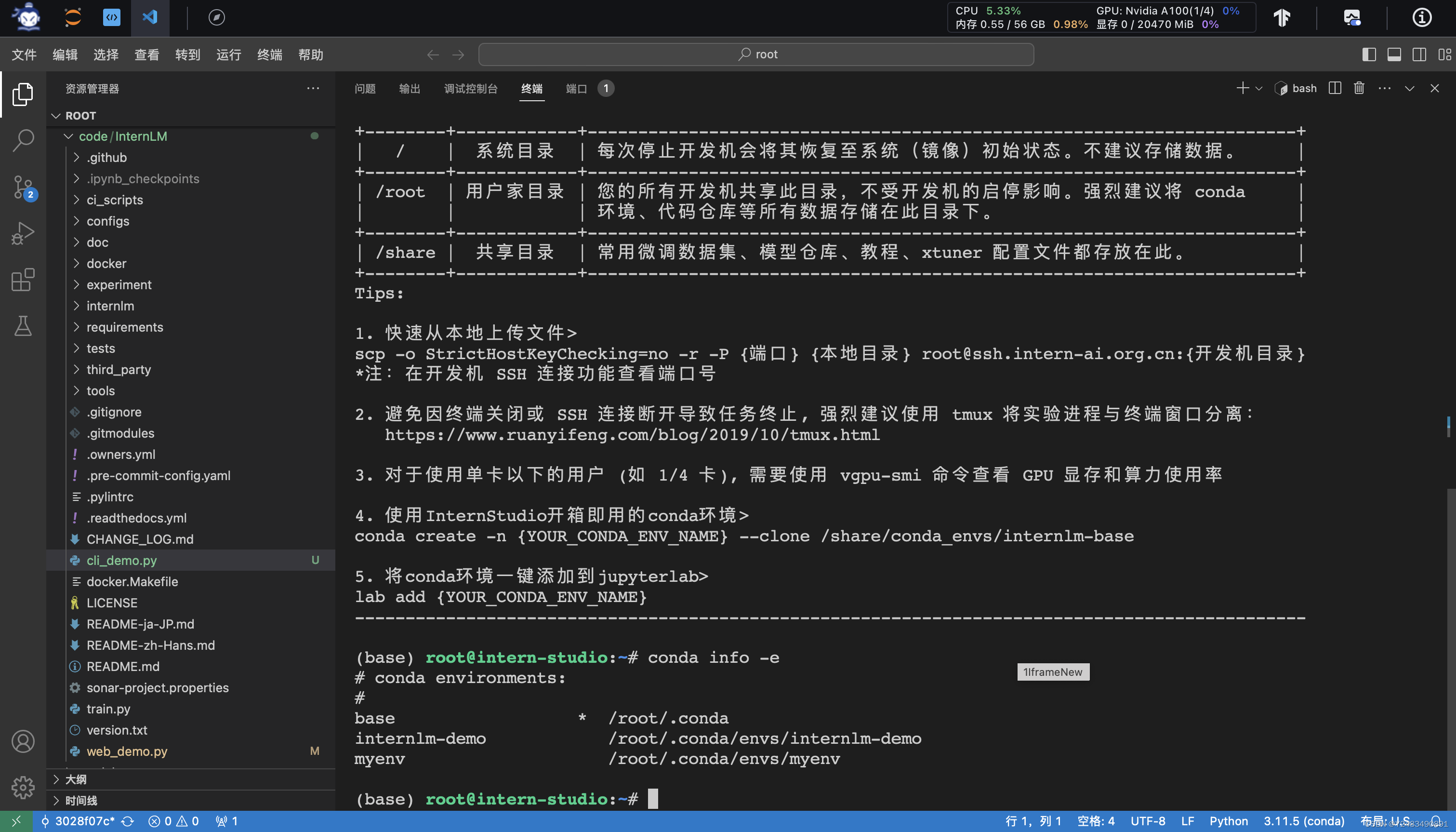
conda info -e检查环境
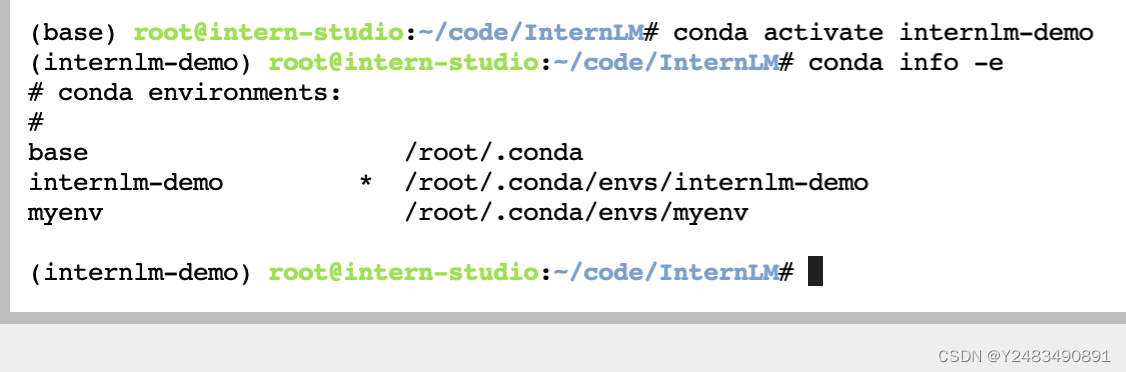 并在环境中安装运行 demo 所需要的依赖
# 升级pip
python -m pip install --upgrade pip

pip install modelscope==1.9.5
pip install transformers==4.35.2
pip install streamlit==1.24.0
pip install sentencepiece==0.1.99
pip install accelerate==0.24.1
2.2 模型下载
InternStudio平台的 share 目录下已经为我们准备了全系列的 InternLM 模型,所以我们可以直接复制即可。使用如下命令复制:
mkdir -p /root/model/Shanghai_AI_Laboratory
cp -r /root/share/temp/model_repos/internlm-chat-7b /root/model/Shanghai_AI_Laboratory
法2:
import torch
from modelscope import snapshot_download, AutoModel, AutoTokenizer
import os
model_dir = snapshot_download('Shanghai_AI_Laboratory/internlm-chat-7b', cache_dir='/root/model', revision='v1.0.3')
2.3 代码准备
cd /root/code
git clone https://gitee.com/internlm/InternLM.git
cd InternLM
git checkout 3028f07cb79e5b1d7342f4ad8d11efad3fd13d17
将 /root/code/InternLM/web_demo.py中 29 行和 33 行的模型更换为本地的 /root/model/Shanghai_AI_Laboratory/internlm-chat-7b
2.4 终端运行
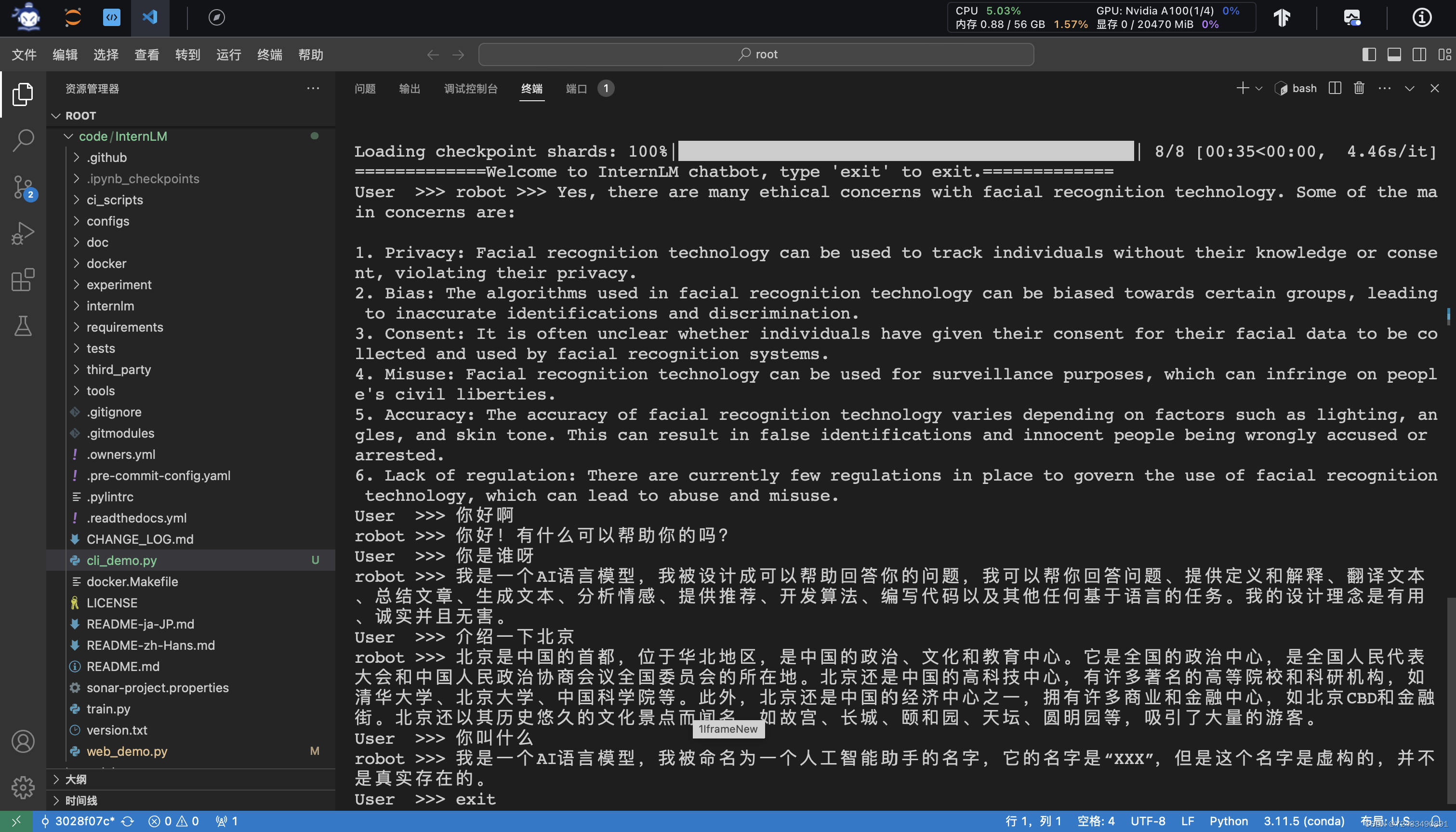
我们可以在 /root/code/InternLM 目录下新建一个 cli_demo.py 文件,将以下代码填入其中:
import torch
from transformers import AutoTokenizer, AutoModelForCausalLM


model_name_or_path = "/root/model/Shanghai_AI_Laboratory/internlm-chat-7b"

tokenizer = AutoTokenizer.from_pretrained(model_name_or_path, trust_remote_code=True)
model = AutoModelForCausalLM.from_pretrained(model_name_or_path, trust_remote_code=True, torch_dtype=torch.bfloat16, device_map='auto')
model = model.eval()

messages = []

print("=============Welcome to InternLM chatbot, type 'exit' to exit.=============")

while True:
    input_text = input("User  >>> ")
    if input_text == "exit":
        break
    response, history = model.chat(tokenizer, input_text, history=messages)
    messages.append((input_text, response))
    print(f"robot >>> {response}")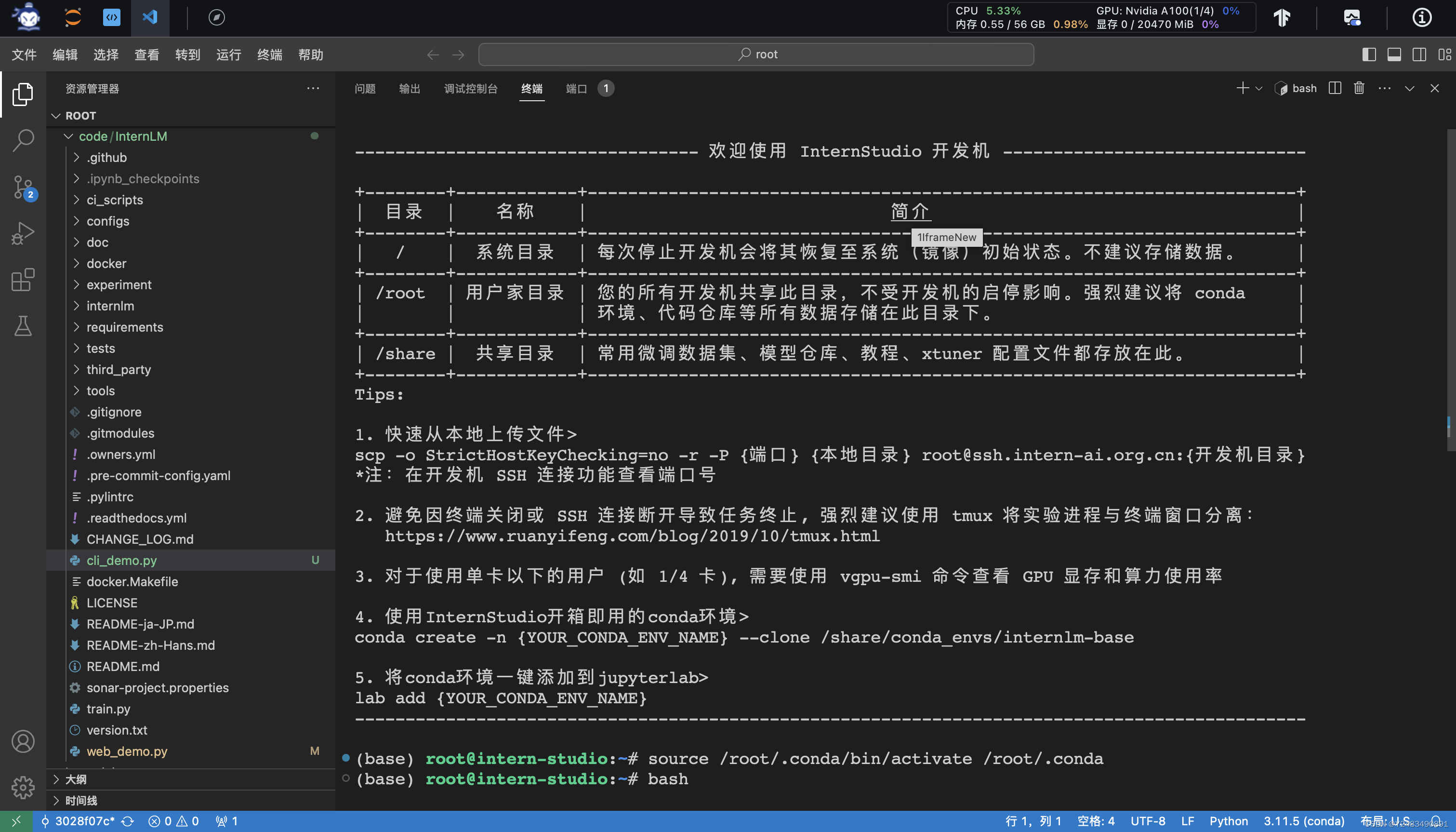

2.5 web demo 运行
我们切换到 VScode 中,运行 /root/code/InternLM 目录下的 web_demo.py 文件,输入以下命令后,配置本地端口(5.2),将端口映射到本地。在本地浏览器输入 http://127.0.0.1:6006 即可。(注意:配置好不要关闭终端)
streamlit run web_demo.py --server.address 127.0.0.1 --server.port 6006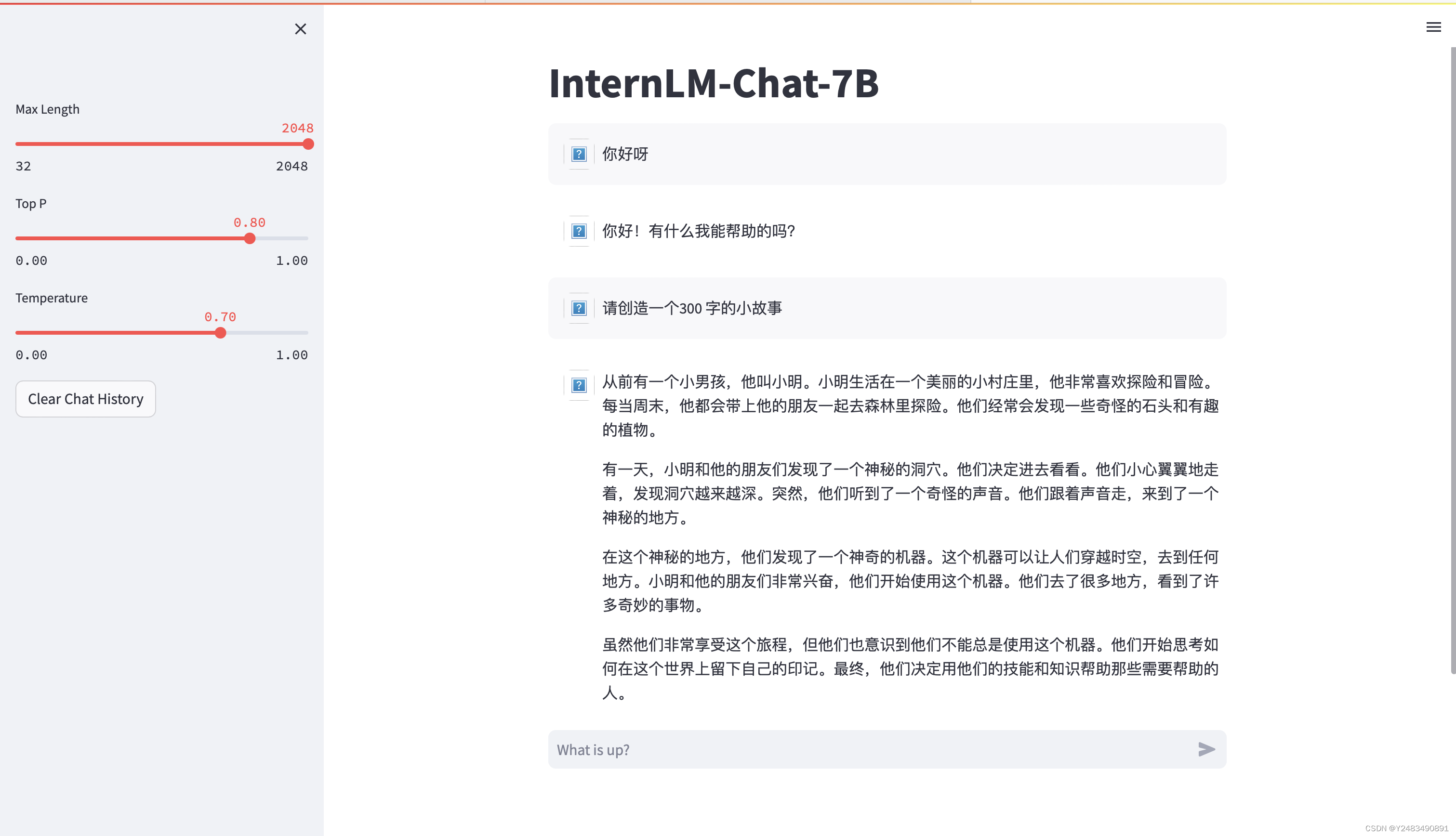
项目结束可以通过vgpu-smi命令,检查当前显存占用
3 Lagent 智能体工具调用 Demo
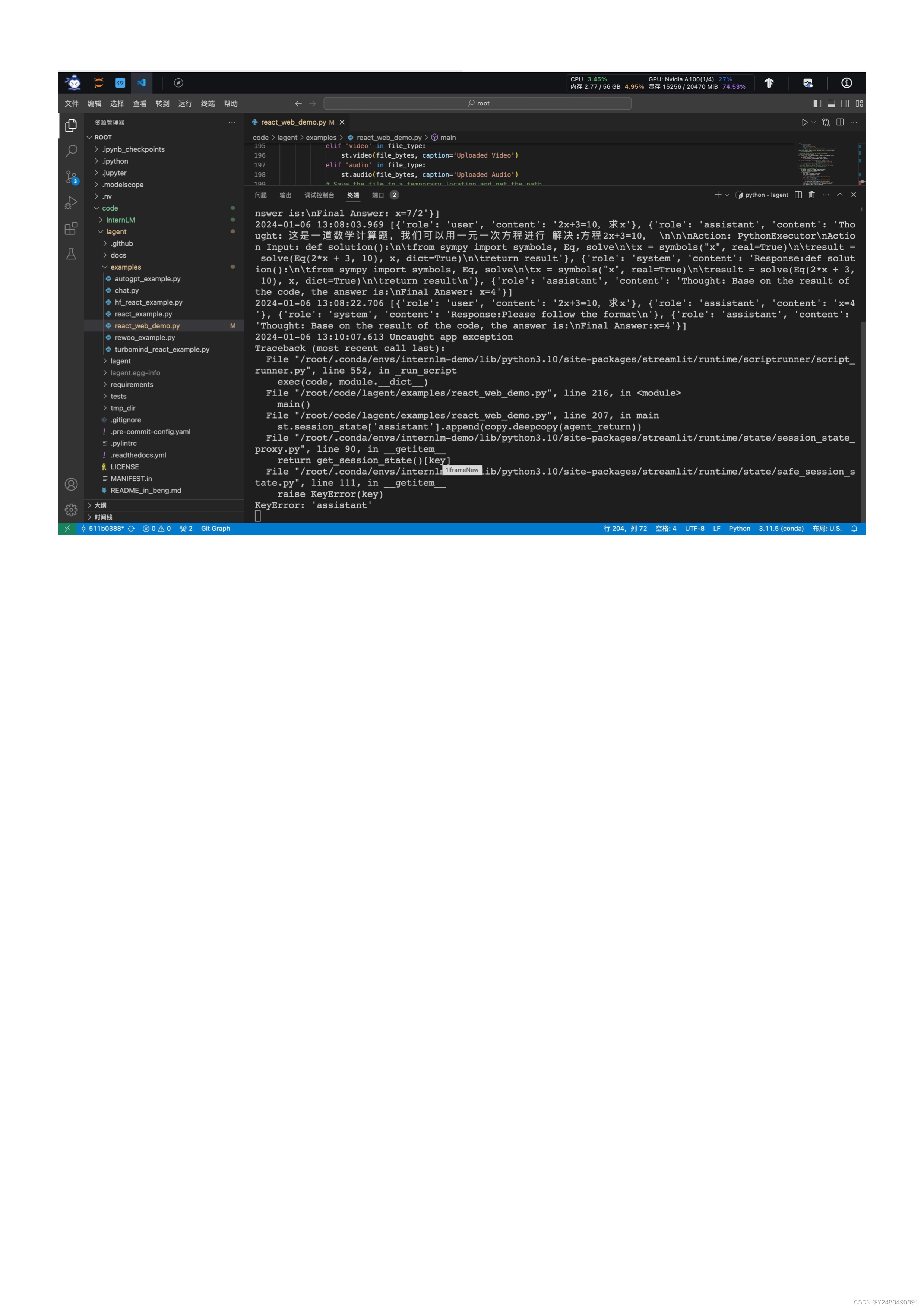
使用 InternStudio 中的 A100(1/4) 机器、InternLM-Chat-7B 模型和 Lagent 框架部署一个智能工具调用 Demo。
3.1 模型下载
mkdir -p /root/model/Shanghai_AI_Laboratory
cp -r /root/share/temp/model_repos/internlm-chat-7b /root/model/Shanghai_AI_Laboratory
法2:
import torch
from modelscope import snapshot_download, AutoModel, AutoTokenizer
import os
model_dir = snapshot_download('Shanghai_AI_Laboratory/internlm-chat-7b', cache_dir='/root/model', revision='v1.0.3')
3.2 Lagent 安装
cd /root/code
git clone https://gitee.com/internlm/lagent.git
cd /root/code/lagent
git checkout 511b03889010c4811b1701abb153e02b8e94fb5e # 尽量保证和教程commit版本一致
pip install -e . # 源码安装
不要把.忘记
3.3 修改代码
import copy
import os

import streamlit as st
from streamlit.logger import get_logger

from lagent.actions import ActionExecutor, GoogleSearch, PythonInterpreter
from lagent.agents.react import ReAct
from lagent.llms import GPTAPI
from lagent.llms.huggingface import HFTransformerCasualLM


class SessionState:

    def init_state(self):
        """Initialize session state variables."""
        st.session_state['assistant'] = []
        st.session_state['user'] = []

        #action_list = [PythonInterpreter(), GoogleSearch()]
        action_list = [PythonInterpreter()]
        st.session_state['plugin_map'] = {
            action.name: action
            for action in action_list
        }
        st.session_state['model_map'] = {}
        st.session_state['model_selected'] = None
        st.session_state['plugin_actions'] = set()

    def clear_state(self):
        """Clear the existing session state."""
        st.session_state['assistant'] = []
        st.session_state['user'] = []
        st.session_state['model_selected'] = None
        if 'chatbot' in st.session_state:
            st.session_state['chatbot']._session_history = []


class StreamlitUI:

    def __init__(self, session_state: SessionState):
        self.init_streamlit()
        self.session_state = session_state

    def init_streamlit(self):
        """Initialize Streamlit's UI settings."""
        st.set_page_config(
            layout='wide',
            page_title='lagent-web',
            page_icon='./docs/imgs/lagent_icon.png')
        # st.header(':robot_face: :blue[Lagent] Web Demo ', divider='rainbow')
        st.sidebar.title('模型控制')

    def setup_sidebar(self):
        """Setup the sidebar for model and plugin selection."""
        model_name = st.sidebar.selectbox(
            '模型选择:', options=['gpt-3.5-turbo','internlm'])
        if model_name != st.session_state['model_selected']:
            model = self.init_model(model_name)
            self.session_state.clear_state()
            st.session_state['model_selected'] = model_name
            if 'chatbot' in st.session_state:
                del st.session_state['chatbot']
        else:
            model = st.session_state['model_map'][model_name]

        plugin_name = st.sidebar.multiselect(
            '插件选择',
            options=list(st.session_state['plugin_map'].keys()),
            default=[list(st.session_state['plugin_map'].keys())[0]],
        )

        plugin_action = [
            st.session_state['plugin_map'][name] for name in plugin_name
        ]
        if 'chatbot' in st.session_state:
            st.session_state['chatbot']._action_executor = ActionExecutor(
                actions=plugin_action)
        if st.sidebar.button('清空对话', key='clear'):
            self.session_state.clear_state()
        uploaded_file = st.sidebar.file_uploader(
            '上传文件', type=['png', 'jpg', 'jpeg', 'mp4', 'mp3', 'wav'])
        return model_name, model, plugin_action, uploaded_file

    def init_model(self, option):
        """Initialize the model based on the selected option."""
        if option not in st.session_state['model_map']:
            if option.startswith('gpt'):
                st.session_state['model_map'][option] = GPTAPI(
                    model_type=option)
            else:
                st.session_state['model_map'][option] = HFTransformerCasualLM(
                    '/root/model/Shanghai_AI_Laboratory/internlm-chat-7b')
        return st.session_state['model_map'][option]

    def initialize_chatbot(self, model, plugin_action):
        """Initialize the chatbot with the given model and plugin actions."""
        return ReAct(
            llm=model, action_executor=ActionExecutor(actions=plugin_action))

    def render_user(self, prompt: str):
        with st.chat_message('user'):
            st.markdown(prompt)

    def render_assistant(self, agent_return):
        with st.chat_message('assistant'):
            for action in agent_return.actions:
                if (action):
                    self.render_action(action)
            st.markdown(agent_return.response)

    def render_action(self, action):
        with st.expander(action.type, expanded=True):
            st.markdown(
                "<p style='text-align: left;display:flex;'> <span style='font-size:14px;font-weight:600;width:70px;text-align-last: justify;'>插    件</span><span style='width:14px;text-align:left;display:block;'>:</span><span style='flex:1;'>"  # noqa E501
                + action.type + '</span></p>',
                unsafe_allow_html=True)
            st.markdown(
                "<p style='text-align: left;display:flex;'> <span style='font-size:14px;font-weight:600;width:70px;text-align-last: justify;'>思考步骤</span><span style='width:14px;text-align:left;display:block;'>:</span><span style='flex:1;'>"  # noqa E501
                + action.thought + '</span></p>',
                unsafe_allow_html=True)
            if (isinstance(action.args, dict) and 'text' in action.args):
                st.markdown(
                    "<p style='text-align: left;display:flex;'><span style='font-size:14px;font-weight:600;width:70px;text-align-last: justify;'> 执行内容</span><span style='width:14px;text-align:left;display:block;'>:</span></p>",  # noqa E501
                    unsafe_allow_html=True)
                st.markdown(action.args['text'])
            self.render_action_results(action)

    def render_action_results(self, action):
        """Render the results of action, including text, images, videos, and
        audios."""
        if (isinstance(action.result, dict)):
            st.markdown(
                "<p style='text-align: left;display:flex;'><span style='font-size:14px;font-weight:600;width:70px;text-align-last: justify;'> 执行结果</span><span style='width:14px;text-align:left;display:block;'>:</span></p>",  # noqa E501
                unsafe_allow_html=True)
            if 'text' in action.result:
                st.markdown(
                    "<p style='text-align: left;'>" + action.result['text'] +
                    '</p>',
                    unsafe_allow_html=True)
            if 'image' in action.result:
                image_path = action.result['image']
                image_data = open(image_path, 'rb').read()
                st.image(image_data, caption='Generated Image')
            if 'video' in action.result:
                video_data = action.result['video']
                video_data = open(video_data, 'rb').read()
                st.video(video_data)
            if 'audio' in action.result:
                audio_data = action.result['audio']
                audio_data = open(audio_data, 'rb').read()
                st.audio(audio_data)


def main():
    logger = get_logger(__name__)
    # Initialize Streamlit UI and setup sidebar
    if 'ui' not in st.session_state:
        session_state = SessionState()
        session_state.init_state()
        st.session_state['ui'] = StreamlitUI(session_state)

    else:
        st.set_page_config(
            layout='wide',
            page_title='lagent-web',
            page_icon='./docs/imgs/lagent_icon.png')
        # st.header(':robot_face: :blue[Lagent] Web Demo ', divider='rainbow')
    model_name, model, plugin_action, uploaded_file = st.session_state[
        'ui'].setup_sidebar()

    # Initialize chatbot if it is not already initialized
    # or if the model has changed
    if 'chatbot' not in st.session_state or model != st.session_state[
            'chatbot']._llm:
        st.session_state['chatbot'] = st.session_state[
            'ui'].initialize_chatbot(model, plugin_action)

    for prompt, agent_return in zip(st.session_state['user'],
                                    st.session_state['assistant']):
        st.session_state['ui'].render_user(prompt)
        st.session_state['ui'].render_assistant(agent_return)
    # User input form at the bottom (this part will be at the bottom)
    # with st.form(key='my_form', clear_on_submit=True):

    if user_input := st.chat_input(''):
        st.session_state['ui'].render_user(user_input)
        st.session_state['user'].append(user_input)
        # Add file uploader to sidebar
        if uploaded_file:
            file_bytes = uploaded_file.read()
            file_type = uploaded_file.type
            if 'image' in file_type:
                st.image(file_bytes, caption='Uploaded Image')
            elif 'video' in file_type:
                st.video(file_bytes, caption='Uploaded Video')
            elif 'audio' in file_type:
                st.audio(file_bytes, caption='Uploaded Audio')
            # Save the file to a temporary location and get the path
            file_path = os.path.join(root_dir, uploaded_file.name)
            with open(file_path, 'wb') as tmpfile:
                tmpfile.write(file_bytes)
            st.write(f'File saved at: {file_path}')
            user_input = '我上传了一个图像,路径为: {file_path}. {user_input}'.format(
                file_path=file_path, user_input=user_input)
        agent_return = st.session_state['chatbot'].chat(user_input)
        st.session_state['assistant'].append(copy.deepcopy(agent_return))
        logger.info(agent_return.inner_steps)
        st.session_state['ui'].render_assistant(agent_return)


if __name__ == '__main__':
    root_dir = os.path.dirname(os.path.dirname(os.path.abspath(__file__)))
    root_dir = os.path.join(root_dir, 'tmp_dir')
    os.makedirs(root_dir, exist_ok=True)
    main()
3.4 Demo 运行
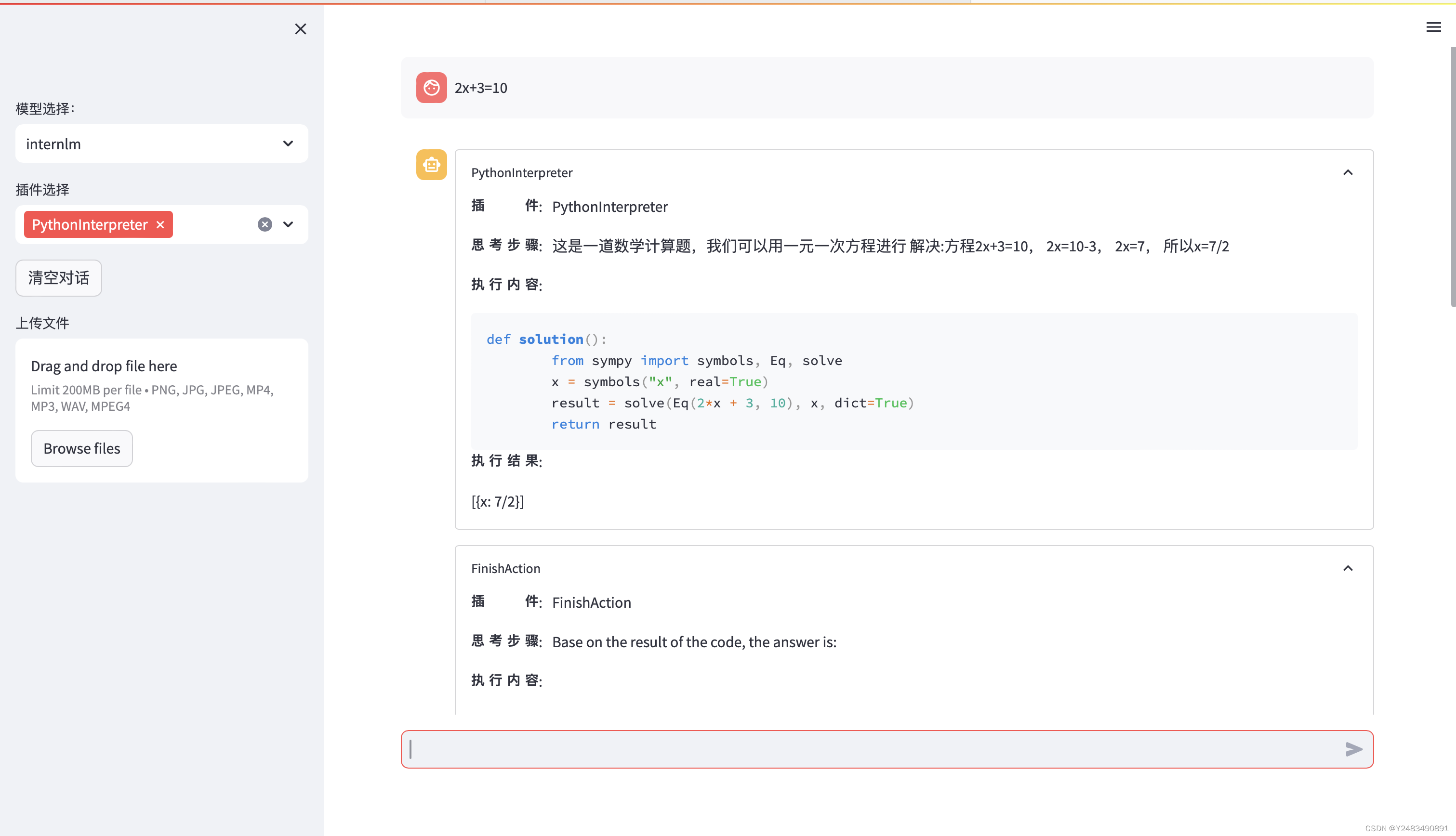
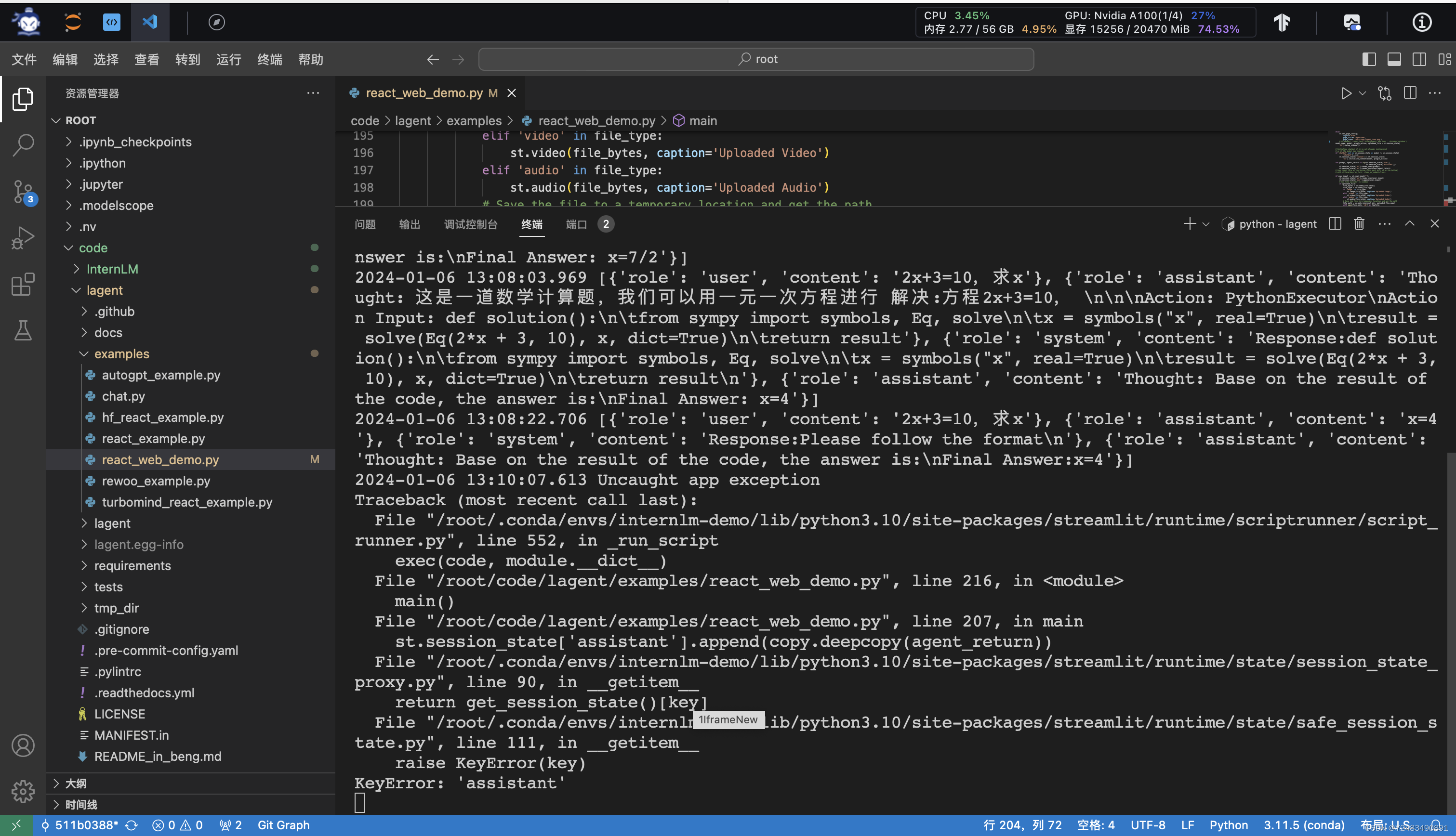
streamlit run /root/code/lagent/examples/react_web_demo.py --server.address 127.0.0.1 --server.port 6006
4. 浦语·灵笔图文理解创作 Demo
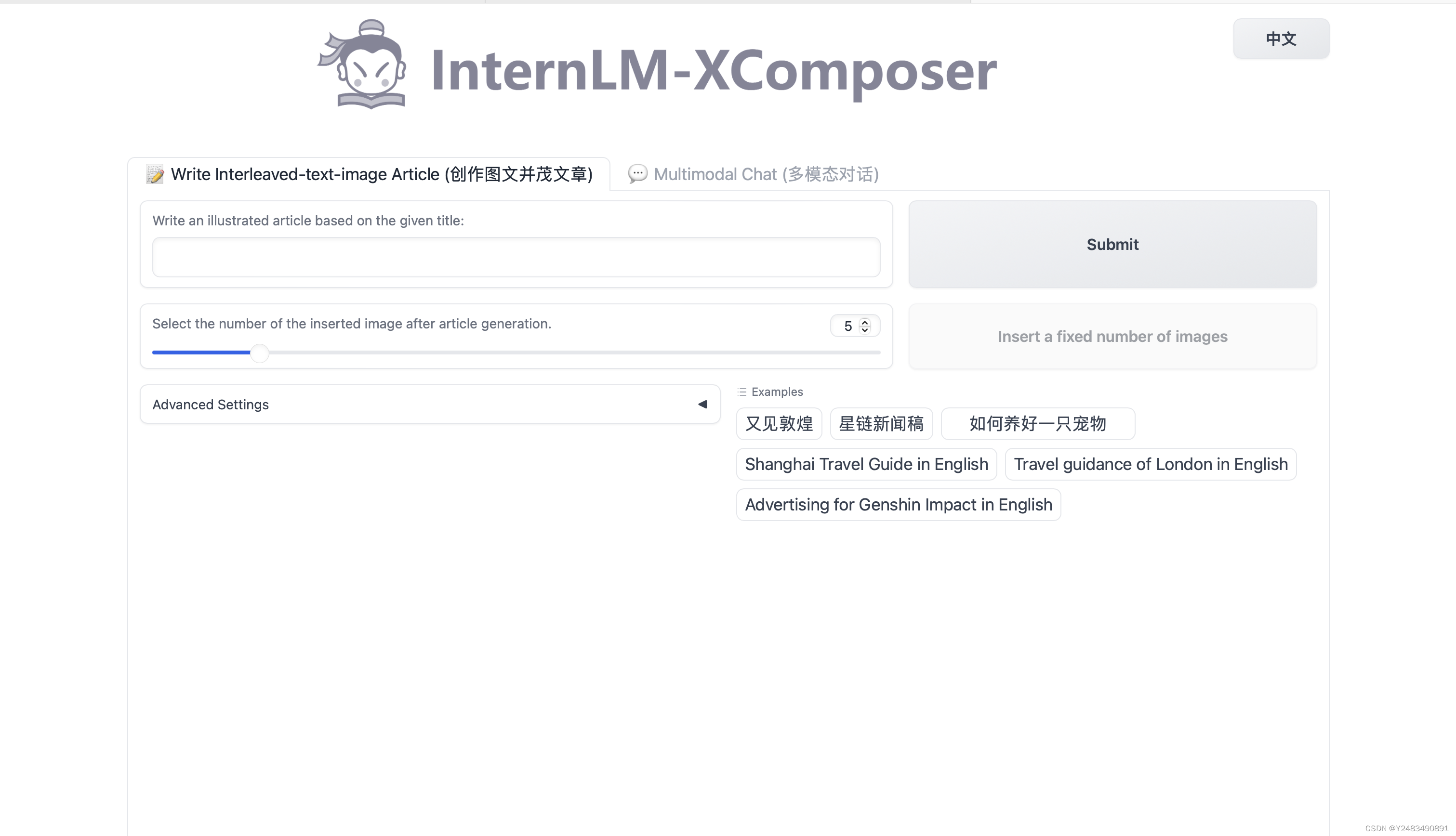
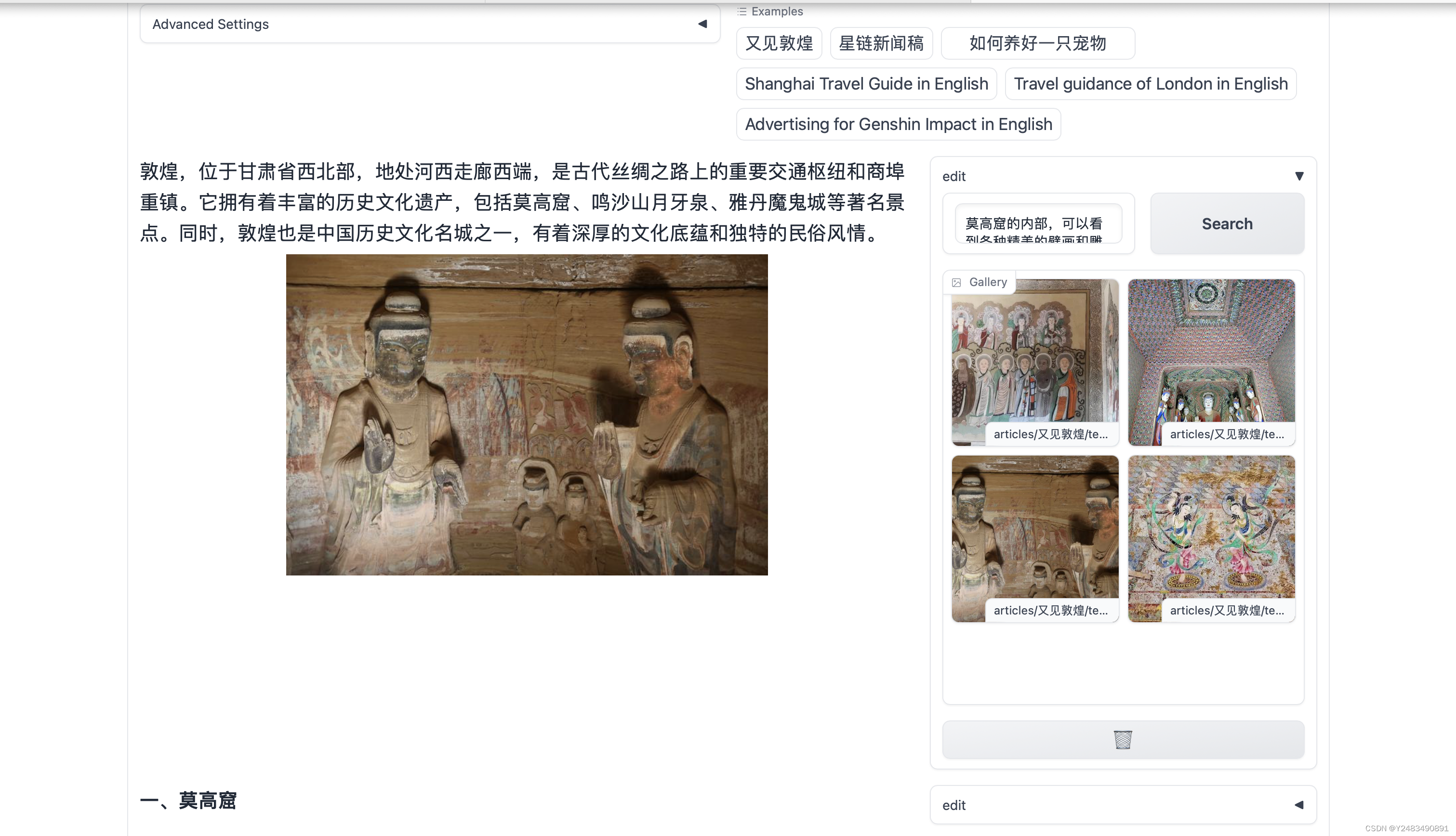
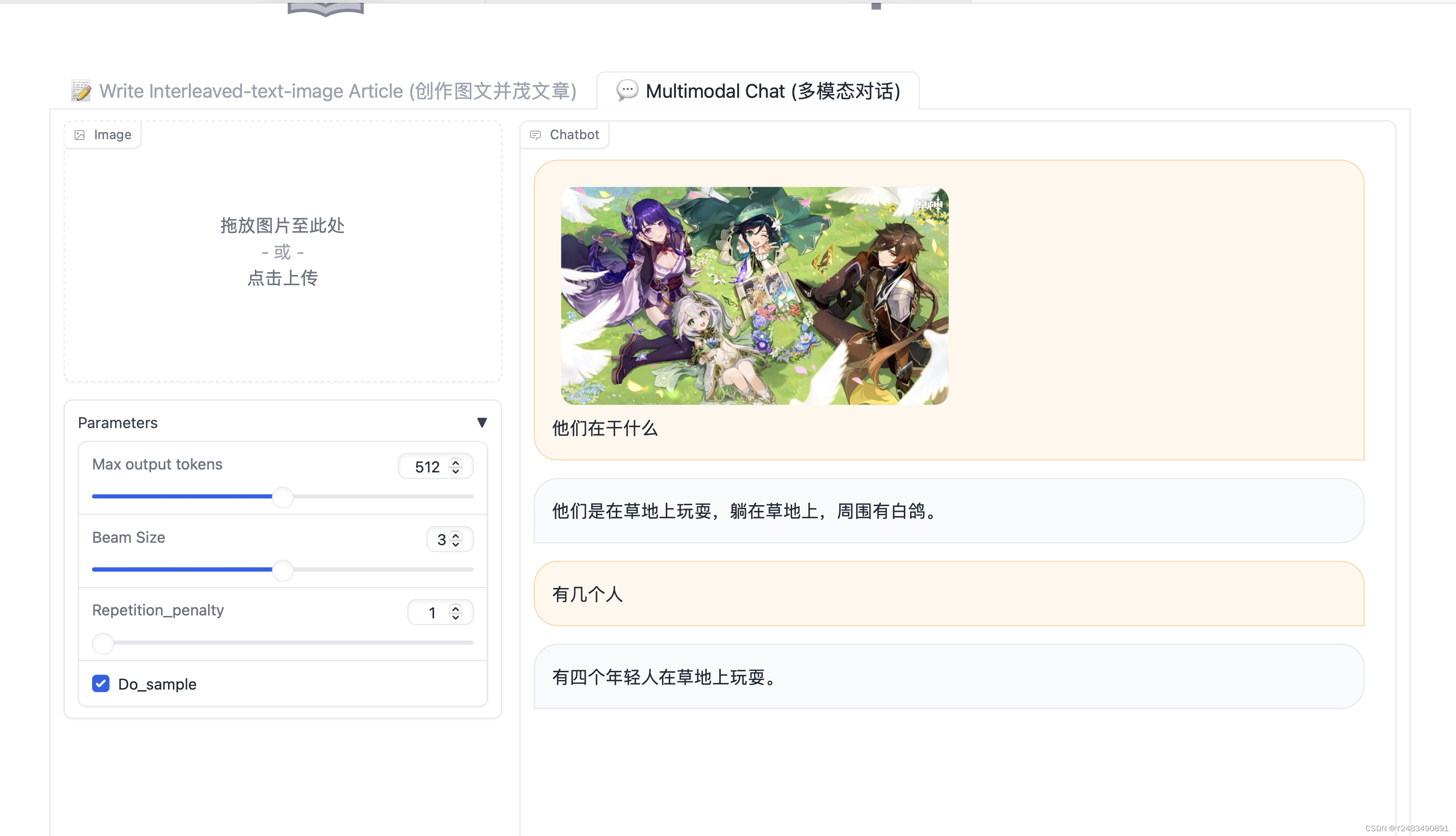
使用InternStudio中的 A100(1/4) * 2 机器和 internlm-xcomposer-7b 模型部署一个图文理解创作 Demo 。
4.1 模型下载
share 目录下已经为我们准备了全系列的 InternLM 模型,所以我们可以直接复制即可。使用如下命令复制:
mkdir -p /root/model/Shanghai_AI_Laboratory
cp -r /root/share/temp/model_repos/internlm-xcomposer-7b /root/model/Shanghai_AI_Laboratory
法二:
pip install modelscope==1.9.54.2 代码准备
cd /root/code
git clone https://gitee.com/internlm/InternLM-XComposer.git
cd /root/code/InternLM-XComposer
git checkout 3e8c79051a1356b9c388a6447867355c0634932d  # 最好保证和教程的 commit 版本一致
4.3 Demo 运行
cd /root/code/InternLM-XComposer
python examples/web_demo.py  \
    --folder /root/model/Shanghai_AI_Laboratory/internlm-xcomposer-7b \
    --num_gpus 1 \
    --port 6006
配置好本地接口
5. 通用环境配置
5.1 pip、conda 换源
5.1.1 pip 换源
临时使用镜像源安装,如下所示:some-package 为你需要安装的包名
pip install -i https://mirrors.cernet.edu.cn/pypi/web/simple some-package设置pip默认镜像源,升级 pip 到最新的版本 (>=10.0.0) 后进行配置,如下所示:
python -m pip install --upgrade pip
pip config set global.index-url https://mirrors.cernet.edu.cn/pypi/web/simple
如果您的 pip 默认源的网络连接较差,临时使用镜像源升级 pip:
python -m pip install -i https://mirrors.cernet.edu.cn/pypi/web/simple --upgrade pip5.1.2 conda 换源
镜像站提供了 Anaconda 仓库与第三方源(conda-forge、msys2、pytorch 等),各系统都可以通过修改用户目录下的 .condarc 文件来使用镜像站。
不同系统下的 .condarc 目录如下:
Linux:${HOME}/.condarcmacOS:${HOME}/.condarcWindows:C:\Users\<YourUserName>\.condarc
注意:
Windows用户无法直接创建名为.condarc的文件,可先执行conda config --set show_channel_urls yes生成该文件之后再修改。
快速配置
cat <<'EOF' > ~/.condarc
channels:
  - defaults
show_channel_urls: true
default_channels:
  - https://mirrors.tuna.tsinghua.edu.cn/anaconda/pkgs/main
  - https://mirrors.tuna.tsinghua.edu.cn/anaconda/pkgs/r
  - https://mirrors.tuna.tsinghua.edu.cn/anaconda/pkgs/msys2
custom_channels:
  conda-forge: https://mirrors.tuna.tsinghua.edu.cn/anaconda/cloud
  pytorch: https://mirrors.tuna.tsinghua.edu.cn/anaconda/cloud
EOF
5.2 配置本地端口
使用本地终端,生成 SSH 密钥对

默认情况下是在 ~/.ssh/ 目录中
可以用cat工具查看
cat ~\.ssh\id_rsa.pub
~是用户主目录的简写,.ssh是SSH配置文件的默认存储目录,id_rsa.pub是 SSH 公钥文件的默认名称。所以,cat ~\.ssh\id_rsa.pub的意思是查看用户主目录下的.ssh目录中的id_rsa.pub文件的内容。
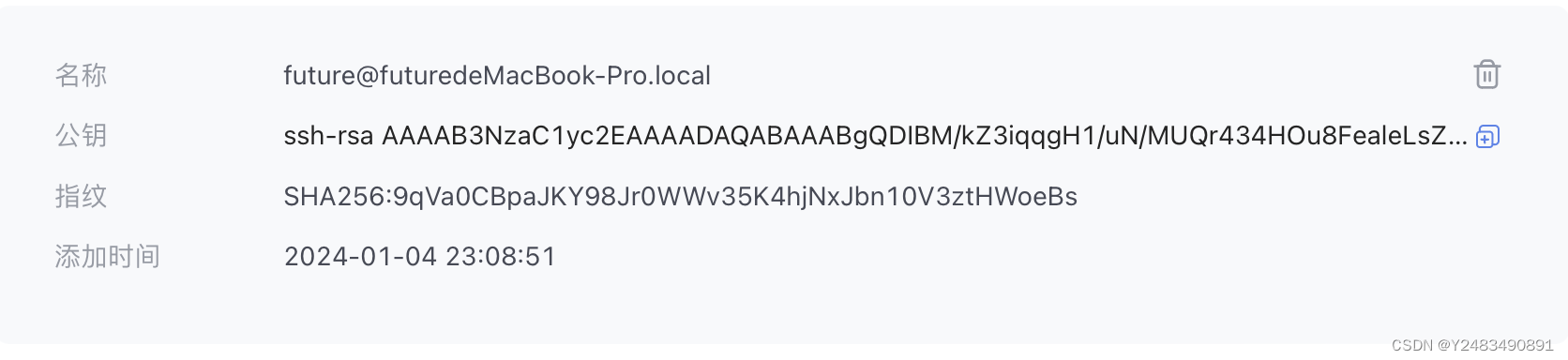
将公钥复制到剪贴板中,然后回到 InternStudio 控制台,点击配置 SSH Key。
本地输入开发机的端口xxx
ssh -CNg -L 6006:127.0.0.1:6006 root@ssh.intern-ai.org.cn -p xxx6. 实验案例

CSDN联合极客时间,共同打造面向开发者的精品内容学习社区,助力成长!
更多推荐



 23
23 0
0- 0


 已为社区贡献1条内容

所有评论(0)