allure结合python生成测试报告实例
百度搜索实例一、代码结构本案例来自于霍格沃兹测试学院《高薪测试成长图谱》。data.yml为数据管理文件,test_baidudemo.py为测试用例文件,文件结构如下:创建data/data.yml文件,代码如下- allure- pytest- unittest创建test_baidudemo.py,代码如下#!/usr/bin/env python# -*- coding: utf-8 -*
·
百度搜索实例
一、代码结构
本案例来自于霍格沃兹测试学院《高薪测试成长图谱》。data.yml为数据管理文件,test_baidudemo.py为测试用例文件,文件结构如下: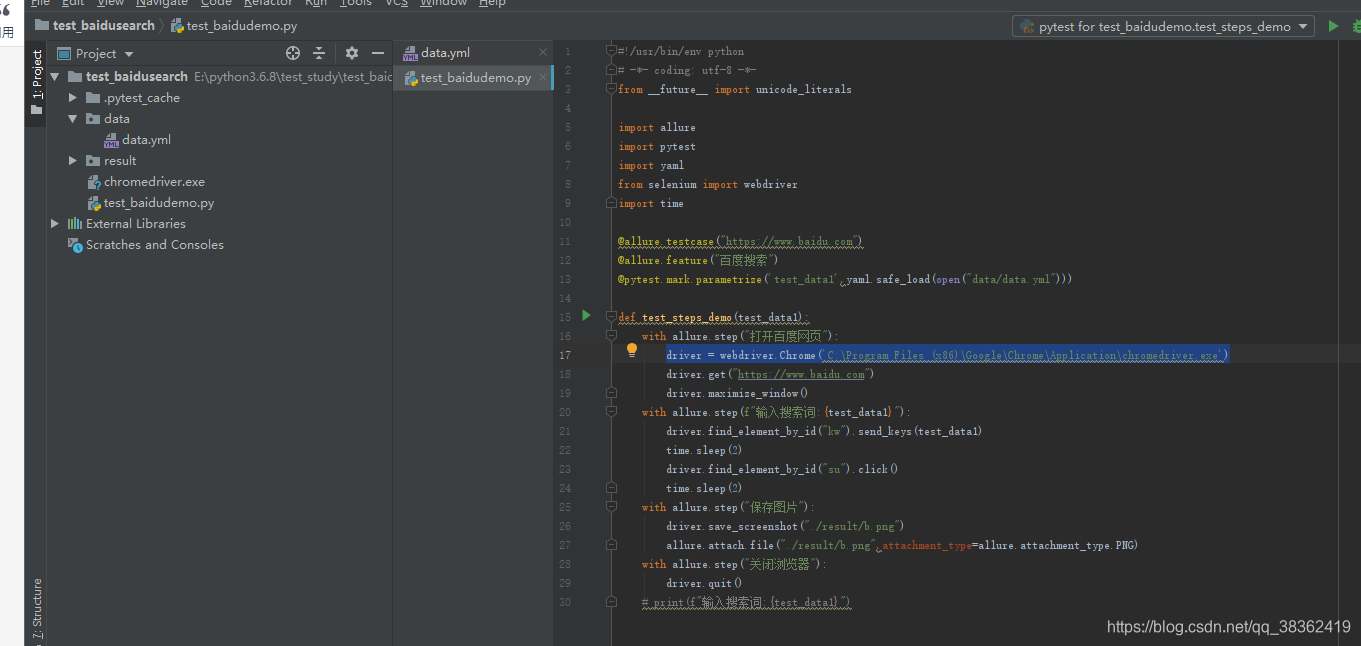
- 创建data/data.yml文件,代码如下
- allure
- pytest
- unittest
- 创建test_baidudemo.py,代码如下
#!/usr/bin/env python
# -*- coding: utf-8 -*-
from __future__ import unicode_literals

import allure
import pytest
import yaml
from selenium import webdriver
import time

@allure.testcase("https://www.baidu.com")
@allure.feature("百度搜索")
@pytest.mark.parametrize('test_data1',yaml.safe_load(open("data/data.yml")))

def test_steps_demo(test_data1):
    with allure.step("打开百度网页"):
        driver = webdriver.Chrome()
        driver.get("https://www.baidu.com")
        driver.maximize_window()
    with allure.step(f"输入搜索词:{test_data1}"):
        driver.find_element_by_id("kw").send_keys(test_data1)
        time.sleep(2)
        driver.find_element_by_id("su").click()
        time.sleep(2)
    with allure.step("保存图片"):
        driver.save_screenshot("./result/b.png")
        allure.attach.file("./result/b.png",attachment_type=allure.attachment_type.PNG)
    with allure.step("关闭浏览器"):
        driver.quit()
二、运行结果
- 进入项目目录下,使用以下语句运行
pytest test_baidudemo.py -s -q --alluredir=./result/    #执行测试用例,并生成测试报告数据在当前文件夹result文件下
allure serve ./result/     #启动allure,并使用result下的测试结果数据生成测试报告
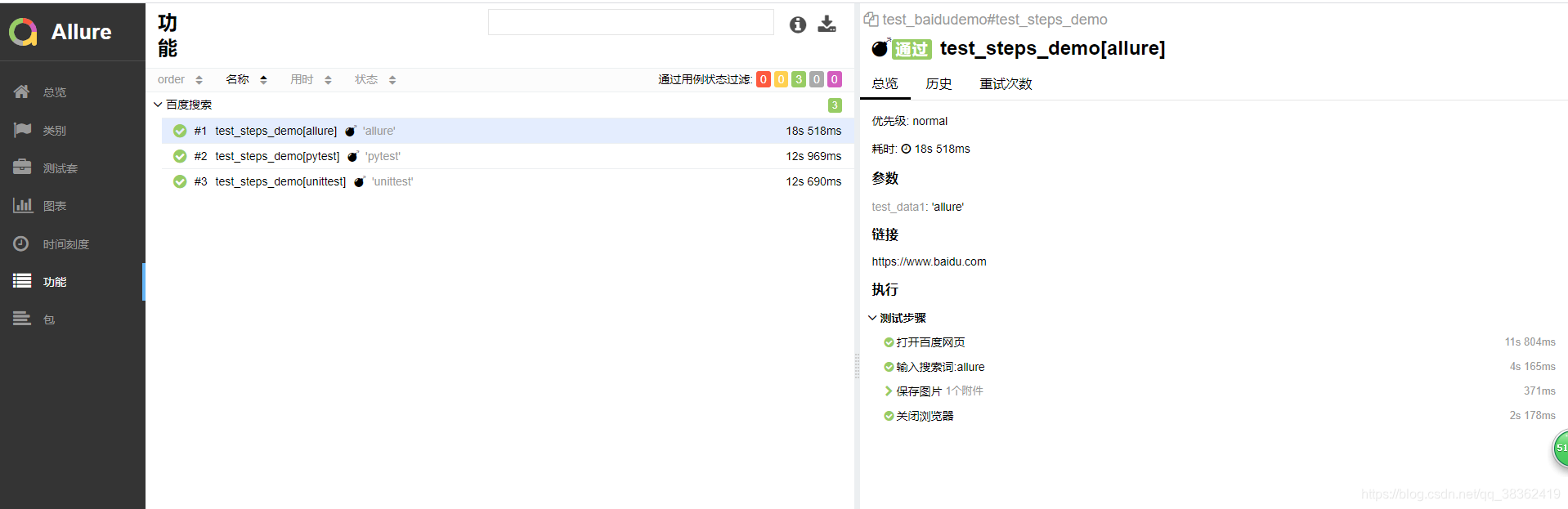
生成的报告如下图所示: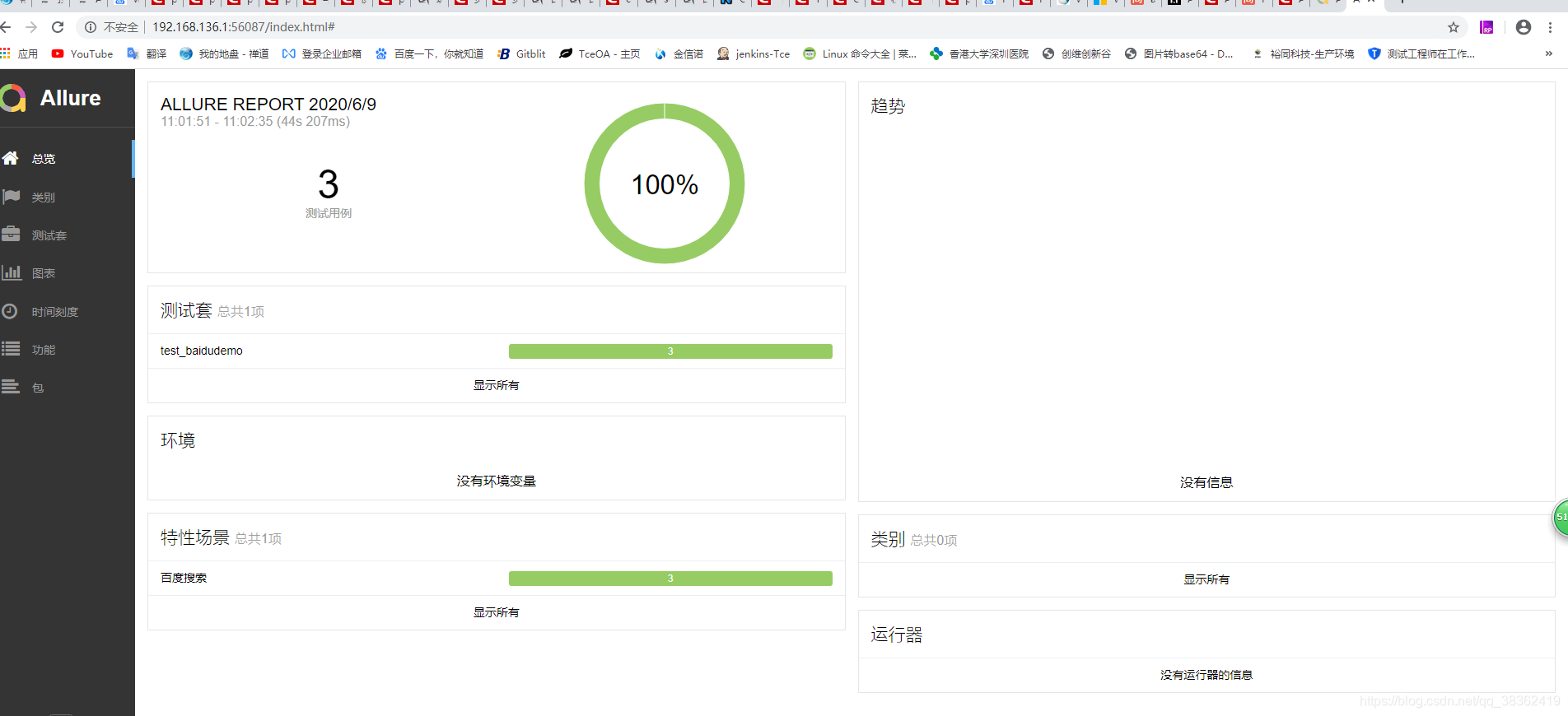
问题解决
-
运行时总是报错当前chromedriver只支持chrome78,实际上已经更新了chromedriver83,未找到原因解决,最终在代码里加上chromedriver绝对路径。将driver = webdriver.Chrome()修改为driver = webdriver.Chrome(‘C:\Program Files (x86)\Google\Chrome\Application\chromedriver.exe’)。
-
with allure.step(f"输入搜索词:{test_data1}"):,在python3.6.8版本上运行该语句总是报语法错误,修改为 with allure.step(“输入搜索词:”+test_data1):,可以正常运行并输出。

CSDN联合极客时间,共同打造面向开发者的精品内容学习社区,助力成长!
更多推荐



 0
0 0
0- 0


 已为社区贡献1条内容

所有评论(0)